How to Choose the Right Hotel Operations Management Software in 2026
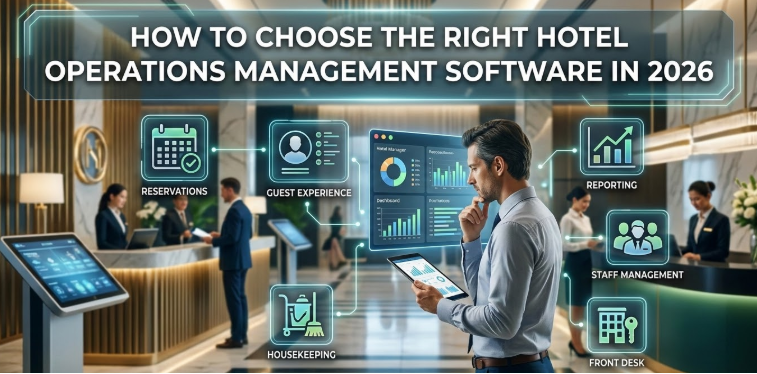
Introduction – Why Hotel Operations Software Selection Is a Strategic Decision
In 2026, the hospitality industry faces rising guest expectations and review sensitivity like never before. Guests demand flawless service, rapid response times, and seamless experiences. For hotel managers, meeting these expectations is not just about reservations or billing it’s about operational efficiency at every level.
Modern hotels are complex ecosystems. Housekeeping, maintenance, and staff coordination must operate in harmony to deliver a superior guest experience. Choosing the wrong system can create bottlenecks, slow room turnovers, and frustrate both staff and guests.
This is where a hotel PMS companion tool becomes critical. Unlike traditional hotel management software, which focuses on reservations and record-keeping, an operations-focused tool enhances workflow, task management, and real-time team coordination ensuring your property runs smoothly.
Understanding the Difference Between Hotel Management Software and Operational Tools
Hotel management software typically includes reservations, billing, and guest records. While these systems often offer basic operational features like housekeeping logs or maintenance requests they are not optimized for deep operational workflows.
Operational gaps emerge when staff experience communication delays, tasks are duplicated, or managers lack real-time visibility into ongoing workflows. A hotel PMS companion tool bridges these gaps by focusing entirely on operations, ensuring that housekeeping, maintenance, and staff coordination happen efficiently and reliably.
Step 1: Identify Your Operational Bottlenecks
Housekeeping Delays and Room Readiness Issues
A common challenge in hotels is housekeeping delays. Manual status updates and slow room turnover can impact guest satisfaction. By implementing a hotel housekeeping management system, staff can receive real-time updates, track room readiness, and prioritize cleaning automatically eliminating delays and ensuring rooms are guest-ready on time.
Maintenance Backlogs
Maintenance issues often go unresolved due to lost or delayed requests. Hotels without preventive maintenance workflows operate reactively, leading to last-minute repairs and guest complaints. A hotel maintenance management software ensures that maintenance requests are logged digitally, tracked efficiently, and scheduled proactively to prevent service disruptions.
Staff Coordination Challenges
Communication silos and overlapping assignments can frustrate hotel staff and reduce productivity. A hotel staff management software centralizes task assignments, enables instant updates, and ensures every team member knows their responsibilities, reducing missed or duplicated tasks.
Lack of Workflow Visibility
Without real-time dashboards, managers cannot monitor performance or identify operational bottlenecks. A hotel workflow management system provides a clear, centralized view of ongoing tasks, allowing management to optimize operations, track progress, and improve staff accountability.
Step 2: Define Must-Have Features in Hotel Operations Management Software
Real-Time Task Assignment and Tracking
A robust hotel operations management software should allow centralized task assignment across departments. Managers can monitor live updates, ensuring all tasks are completed on time and staff remain accountable.
Mobile-First Staff Access
Modern hotel staff need access on-the-go. Mobile-first tools allow staff to update task status from anywhere, reducing communication delays and enhancing operational efficiency.
Housekeeping Automation Capabilities
Automation in housekeeping ensures rooms are cleaned efficiently and ready on time. A hotel housekeeping management system can auto-prioritize cleaning based on check-outs and provide instant room status updates for the front desk and management.
Maintenance Workflow Automation
Maintenance should be proactive, not reactive. A hotel maintenance management software allows digital work orders, preventive scheduling, and timely notifications, ensuring that issues are resolved before they affect guests.
Staff Performance Monitoring
Tracking staff performance ensures accountability and highlights opportunities for training. A hotel staff management software provides insights into productivity, task completion rates, and operational efficiency.
Customizable Workflow Controls
Every hotel has unique processes. A hotel workflow management system should offer customizable workflows, standard operating procedure implementation, and department-level configuration to suit your property’s specific needs.
Step 3: Ensure Seamless PMS Integration
Integration is critical. A hotel PMS companion tool complements your existing hotel management software without replacing it. Proper integration allows for synchronized data, avoiding duplication and ensuring staff operate from accurate, real-time information. Your PMS handles reservations and billing, while your companion tool ensures operations run smoothly.
Step 4: Evaluate Scalability and Flexibility
Hotels grow and evolve. Choose software that can handle multiple properties, customize workflows for different departments, and expand with your operations. Scalability ensures your hotel PMS companion tool remains effective as your property portfolio grows.
Step 5: Analyze Reporting and Analytics Capabilities
Operational insights drive improvement. Look for tools that provide:
- Real-time dashboards
- Housekeeping performance metrics
- Maintenance resolution times
- Staff productivity insights
- Operational KPIs influencing guest satisfaction
Data-driven decisions allow managers to optimize resources and improve overall hotel efficiency.
Step 6: Consider Staff Adoption and Ease of Use
Even the best software fails if staff cannot use it effectively. Focus on:
- Minimal training requirements
- User-friendly interface
- Mobile accessibility
- Multi-language support
Ease of use reduces resistance to change and ensures your staff adopts the system quickly.
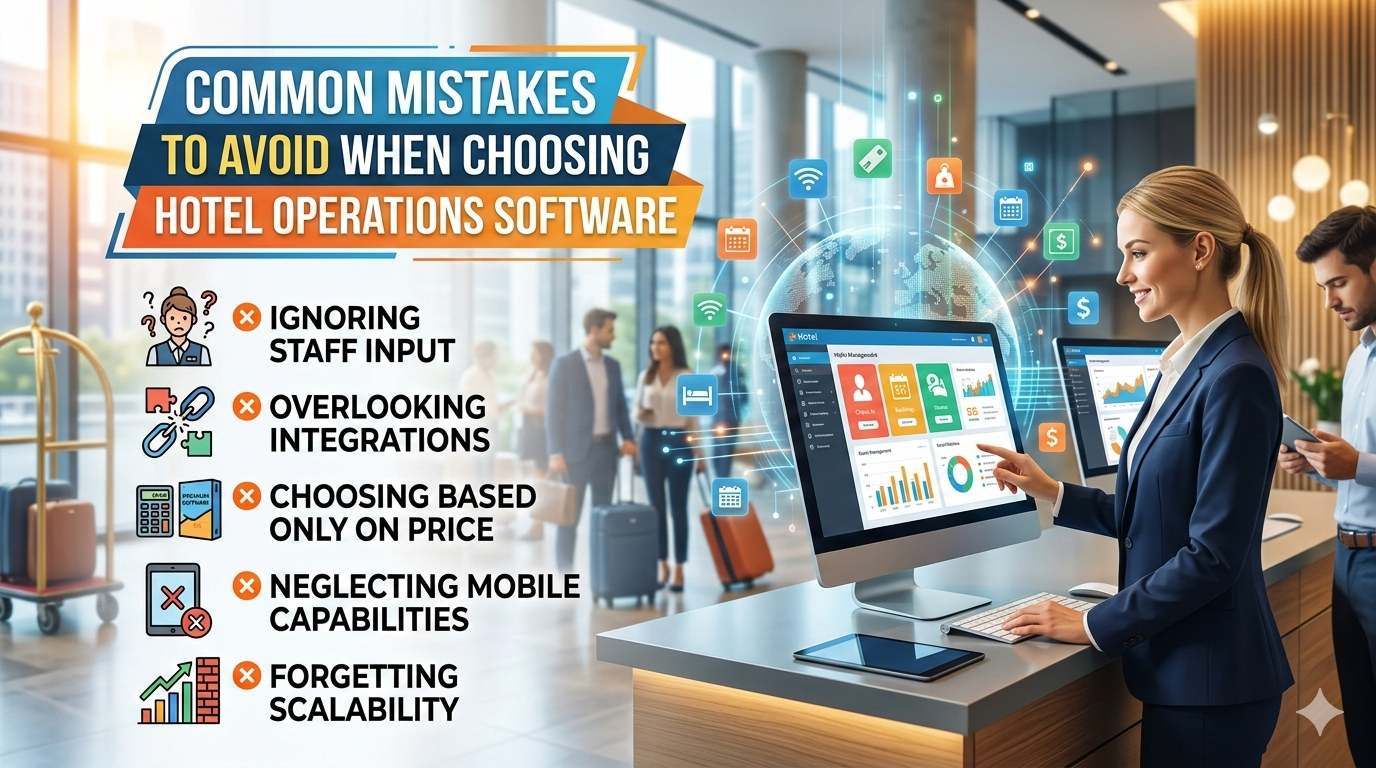
Common Mistakes to Avoid When Choosing Hotel Operations Software
Selecting the right hotel operations management software is critical to operational efficiency and guest satisfaction. However, many hotels make avoidable mistakes during the selection process:
Choosing Price Over Functionality: Focusing solely on the cost of the software can lead to operational inefficiencies. A cheaper system may lack essential features like task automation, real-time updates, or workflow visibility, which are crucial for smooth hotel operations.
Overlapping Systems Without Integration: Implementing multiple systems that do not integrate with your existing PMS or other operational tools can create data duplication, communication gaps, and workflow confusion. Integration is key to seamless operations.
Ignoring Staff Usability: Even the most advanced software fails if staff cannot use it effectively. Ignoring the user experience, mobile accessibility, or language support can result in poor adoption and reduced efficiency.
Selecting Software That Replaces Your PMS: Your PMS is the central system for reservations, billing, and guest records. Choosing an operations tool that attempts to replace your PMS rather than complement it can disrupt workflows and create confusion.
Underestimating Implementation Planning: Introducing new software without a clear plan for onboarding, training, and workflow alignment can slow adoption and diminish its effectiveness. Proper implementation planning ensures smooth integration into daily operations.
Avoiding these common mistakes ensures that your investment in a hotel PMS companion tool delivers real operational improvements, improves staff productivity, and enhances the overall guest experience.
ROI Expectations from a Hotel PMS Companion Tool
Implementing a hotel PMS companion tool can deliver tangible and measurable benefits to your hotel operations.
Faster Room Turnover: By automating housekeeping workflows and providing real-time room status updates, rooms are cleaned and prepared more efficiently, reducing the time between check-out and check-in.
Reduced Operational Delays: With digital task tracking and mobile staff access, operational bottlenecks are minimized. Maintenance requests, room cleaning, and staff assignments are handled promptly, ensuring smooth day-to-day operations.
Improved Guest Review Scores: Efficient operations lead to a seamless guest experience. Guests notice timely room readiness, quick maintenance resolution, and attentive service, which positively impacts online reviews and ratings.
Increased Repeat Bookings: Satisfied guests are more likely to return. By consistently delivering a high-quality, hassle-free stay, hotels can boost repeat business and foster long-term loyalty.
Higher Staff Productivity: Staff can access tasks, update progress, and coordinate seamlessly from their mobile devices. This reduces redundant work, prevents missed assignments, and allows employees to focus on value-driven activities rather than administrative delays.
Operational Efficiency Drives Profitability: Streamlined workflows, better resource allocation, and improved accountability directly translate into cost savings, higher guest satisfaction, and stronger overall financial performance.
Final Checklist: Questions to Ask Vendors in 2026
- Does it integrate with our existing hotel management software?
- Does it provide real-time visibility across departments?
- Can it handle housekeeping and maintenance workflows efficiently?
- Is it scalable for growth?
- How quickly can staff be onboarded?
Answering these questions ensures you select the right tool for your hotel operations.
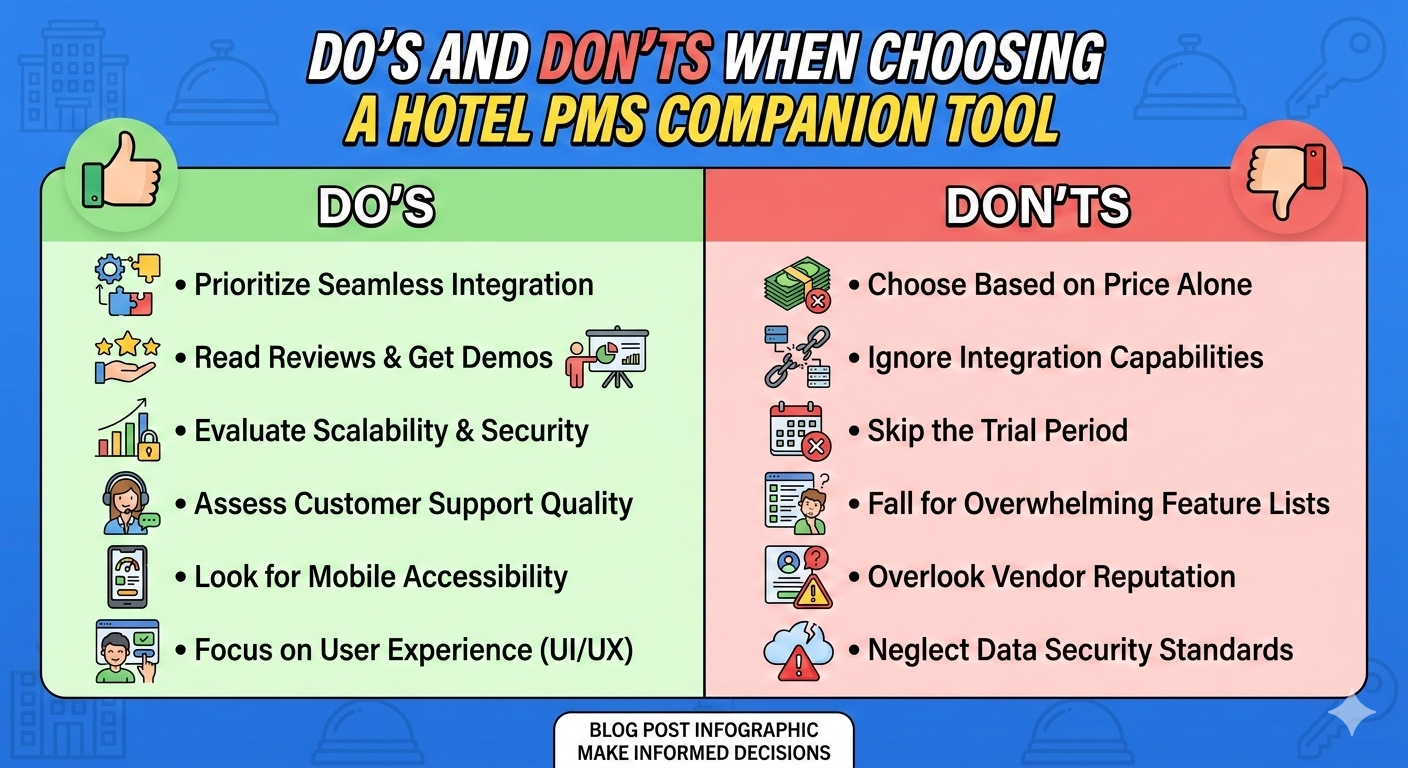
Do’s and Don’ts When Choosing a Hotel PMS Companion Tool
Do’s
- Do integrate with your existing PMS – Ensure the companion tool complements your hotel management software rather than replacing it.
- Do focus on operational workflows – Prioritize housekeeping, maintenance, staff coordination, and workflow visibility.
- Do choose mobile-first access – Staff should be able to update tasks on smartphones or tablets in real-time.
- Do check scalability – Make sure the software can grow with your property portfolio or departmental expansion.
- Do verify reporting and analytics – Real-time dashboards and operational KPIs help identify bottlenecks and optimize performance.
- Do ensure staff usability – The interface should be simple, intuitive, and require minimal training.
- Do plan implementation properly – Include onboarding, SOP alignment, and change management to maximize adoption.
- Do look for workflow customization – Every hotel has unique processes; customizable workflows ensure the tool matches your operations.
- Do measure ROI – Track faster room turnover, improved staff productivity, and guest satisfaction metrics.
Don’ts
- Don’t prioritize price over functionality – A cheap system may save money upfront but cost efficiency later.
- Don’t choose software that replaces your PMS – Your PMS should remain the central record-keeping and reservation engine.
- Don’t ignore staff adoption challenges – If the system is hard to use, your team won’t adopt it fully.
- Don’t rely on manual workflows – Automation for housekeeping, maintenance, and task tracking is essential.
- Don’t overlook integration issues – Systems that don’t sync with your PMS will create data errors and duplication.
- Don’t ignore real-time visibility – Managers need dashboards and alerts; otherwise, bottlenecks go unnoticed.
- Don’t underestimate training time – Even intuitive tools require staff orientation to align with workflows.
- Don’t ignore future growth needs – Choosing a tool that cannot scale will lead to inefficiency as your hotel grows.
- Don’t select software without analytics – Without performance insights, operational improvements are hard to track.
Final Thoughts – Making Operations Your Competitive Advantage
In 2026, operational excellence defines the guest experience. Technology should serve as an enabler, not a replacement, for skilled hotel teams. A hotel PMS companion tool like InnCrew helps streamline operations, improve staff productivity, and deliver consistent guest experiences turning operational efficiency into a competitive advantage.
FAQs
Q1: Do I need to replace my current PMS to use a hotel PMS companion tool?
Ans: Do not replace your PMS. A companion tool complements your existing system, focusing on operational workflows, not reservations or billing.
Q2: Can staff use the system on mobile devices?
Ans: Do provide mobile-first access. Your staff should update tasks in real-time from smartphones or tablets.
Q3: Will a hotel PMS companion tool handle housekeeping and maintenance?
Ans: Do ensure it includes housekeeping management system and maintenance management software capabilities for automation and efficiency.
Q4: Is integration with existing hotel management software important?
Ans: Do integrate. Proper integration ensures seamless operations without duplicating work or data errors.
Q5: Should I focus only on software price when choosing a solution?
Ans: Do not prioritize cost over functionality. Operational efficiency and staff usability are more important than a lower upfront price.